Yacht Devices News: Making a generic alarm sensor based on our Python Gateway
Sep 21, 2026
Python gateway RX input can be used as a generic ON/OFF signal, that can be used to send arbitrary data to NMEA 2000 devices in various ways.
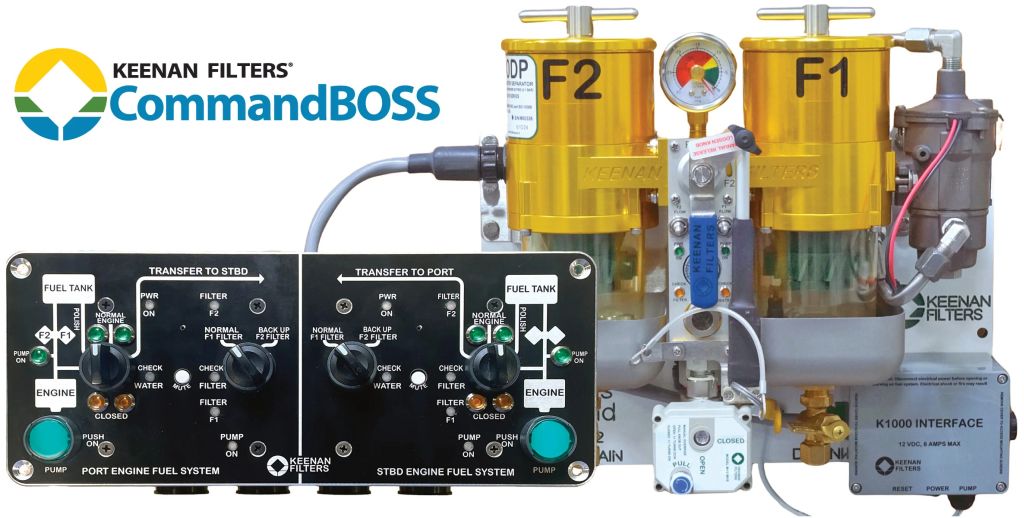
KTI Systems (Keenan Filters) is a family-owned U.S. manufacturer specializing in marine diesel filtration and fuel management systems, supporting a range of recreational and commercial vessels around the world. Their CommandBOSS system has an extra AUX relay, that is triggered when fuel filter is clogged. By default, this relay is used for external alarm buzzer, but system can be supplied with custom “dry contact” wiring instead of default external buzzer wiring.
Upon a customer request, we have developed a program for our YDPG-01 Python Gateway that sends an NMEA 2000 “Low Fuel Pressure” alarm to Raymarine Axiom MFDs when the AUX alarm relay is triggered.
Though the YDPG-01 input (RX) is a full-fledged UART RS-422 receiver with a differential input, it has a 10 kOhm internal weak 3.3 V pull-up and allows you to use it as a comparator, feeding the logical signal into the main CPU's GPIO input port. If both RX+ (yellow wire) and RX− (blue wire) inputs float (i.e., are not connected to anything), machine.Pin.IN.value() reads logical 1. If you leave RX+ floating and connect RX− (blue wire) to GND (bare shield wire), the pin value() will read 0.
So, first we need to switch UART RX to “pin mode” with:
    # we do not need NMEA 0183 library
    n0183.deinit()
    # we do not need UART
    uart_rx.deinit()

    # configure "RX-" (blue) as GPIO input
    # returns 0 if "RX-" is connected to GND
    # returns 1 if "RX-" floats
    pin = machine.Pin("rx", machine.Pin.IN)
and then we will add an IRQ handler callback to process each pin state change:
    # track when pin was triggered
    pin_triggered_timestamp_ms = utime.ticks_ms()
    # and into which state, default = 1, no alarm
    pin_triggered_value = 1

    # process pin state change
    def pin_callback(pin_):

        global pin_triggered_timestamp_ms, pin_triggered_value

        print ( "pin state change:", pin_.value() )

        pin_triggered_timestamp_ms = utime.ticks_ms()
        pin_triggered_value = pin_.value()

    # set up pin IRQ handler
    pin.irq(handler=pin_callback)
Note that IRQ handler (ISR) code should be as simple and fast as possible (refer to MicroPython recommendations on ISR implementation), here we just register the pin state and timestamp on when it toggles state (handler will be called each time on state change), and the alarm triggering logic will be processed asynchronously in the main timer loop:
    # Timer thread, called each 10 ms
    def main_timer_callback(timer):
        # software debounce:
        # if pin held low for more than 100 ms, trigger alarm
        # if pin goes high, cancel alarm immediately
        now_ms = utime.ticks_ms()
        if utime.ticks_diff( now_ms, pin_triggered_timestamp_ms ) > 100:
            if pin_triggered_value == 0:
                alarm_state = True
            else:
                alarm_state = False
        else:
            alarm_state = False

    # set up main timer, calling "main_timer_callback" each 10 ms
    main_timer = machine.Timer(period = 10, callback = main_timer_callback)
Now we can read the external equipment ON/OFF state, it is time to figure out how to send alarm to Axiom. For now (2025), Axiom does not fully support generic Alarm PGNs, and we will use standard PGN 127489 "Engine Parameters, Dynamic" and send “Low Fuel Pressure alarm” by raising a corresponding binary flag in "Engine Discrete Status 1" data field.
However, there is a problem: if you already have a NMEA 2000 engine data source (like our YDEG-04 or YDES-04 engine gateway), there will be two sources of PGN 127489, and this might cause a data conflict. Luckily, Axiom does not “hard-lock” onto a particular NMEA 2000 device when it comes to the engine data source, and identifies engines by “Engine Instance” data field instead. That means, Axiom will process PGN 127489 sent from either engine gateway and Python Gateway.
Another complication is the requirement that our alarm system should trigger alarm when engine gateway is online (engine started, engine gateway sends PGN 127489 with valid engine data) and offline (only YDPG-01 sends PGN 127489). Therefore, two operation modes were implemented.
If YDPG-01 detects PGN 127489 from the engine, it will switch to “follow” mode, and on each received PGN 127489 from the engine, it will immediately send a copy of this PGN, but with corresponding alarm flag set. Hopefully, Axiom reacts on this by triggering the engine alarm only once.
If YDPG-01 does not detect PGN 127489 sent from the engine for 4500 ms, it will switch to “autonomous” mode, and will start sending its own PGN 127489 with all data fields set to “not available” except “Engine Instance” and alarm flags.
Of course, when alarm is OFF, YDPG-01 will not send PGN 127489 to save on bus traffic.
Another consideration is the behavior of n2k.sendpgn() function that sends prepared PGN payload onto the CAN bus. If transmission error occurs, the YDPG-01 program will fail, so an exception handler should be used to continue code execution and do not stop on this error.
    try:
        n2k.sendpgn(data_array, 127489, src = YDPG_ADDRESS)
    except:
        pass
The full program is available here. To install it, connect YDPG-01 to a PC USB port; the device will be recognized as an external USB disk. Replace default main.py file on that disk with the new main.py. Reboot the device to start the program.
To test the program, connect YDEG-01 to NMEA 2000 bus, connect RX− to GND, confirm “Low Fuel Pressure” alarm is triggered on Axiom. Disconnect wires and alarm should go away.
OK, we are talking a lot about Axiom here, but will it work on other NMEA 2000 MFDs?
Yes, but only on those where you can explicitly select the target NMEA 2000 device as an engine data source (for example, Simrad GO XSR or Garmin Echomap 62cv). The intended setup requires the YDPG-01 to forward a copy of all PORT engine data PGNs, allowing the YDPG-01 to be selected as the PORT engine data source on the target MFD.
Edit Program and enable
MFD_MODE = MFD_NAVICO
then turn PORT engine ignition ON, observe YDPG-01 now sends a copy of each “engine data” PGNs. Select YDPG-01 as PORT engine data source on MFD and confirm you got valid engine data and alarm triggers.
On some NMEA 2000 MFDs or displays, engine data source device can not be selected and the workaround solution, outlined above, will not work. The proper solution for such MFDs will be to use our YDNB-07 Bridge and “merge” PGNs 127489 coming from the engine and YDPG-01 into one PGNs 127489.
And even better solution would be for all MFD manufacturers (not only Garmin) to add support of a standard NMEA 2000 “Alert” and “Alert Text” PGNs, that will allow YDPG-01 to send any arbitrary alarm text, not only currently available alarms like engine alarms.
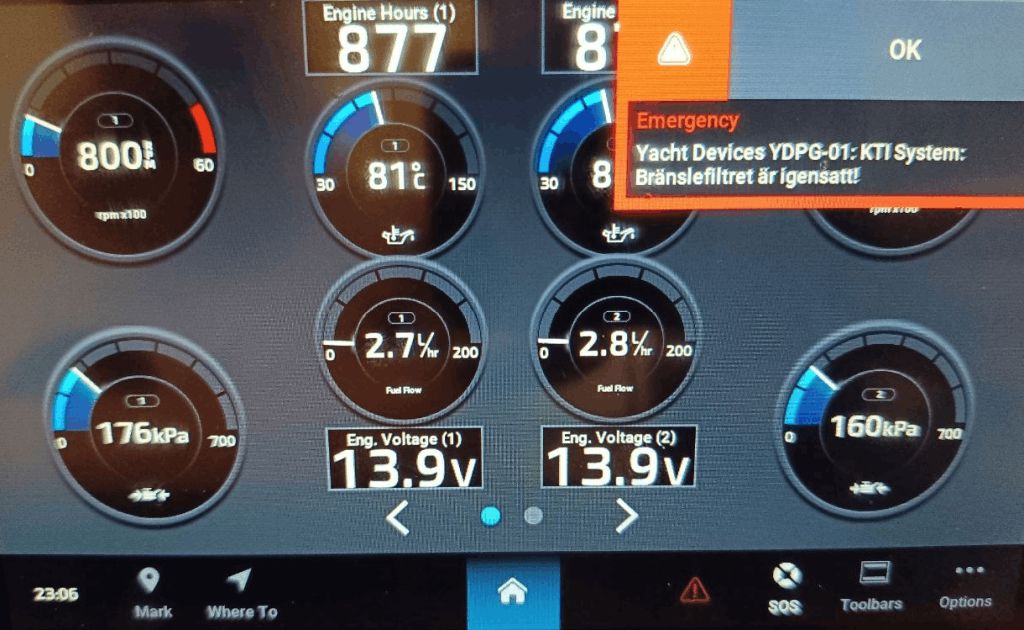
For example, our new Garmin GPSMAP 743xsv supports those PGNs, and sending an arbitrary alarm program for it is much cleaner, no hacks, no MFD setup requred, YDPG-01 just sends any text you like, and yes, unicode strings are supported: